
Description
PDF Viewer Nova helps WordPress site owners embed polished, full-featured PDF reading experiences directly inside pages and posts.
Use the PDF Viewer Nova block in the WordPress Block Editor or the PDF Viewer Nova widget in Elementor to place PDFs from the Media Library or from public external URLs.
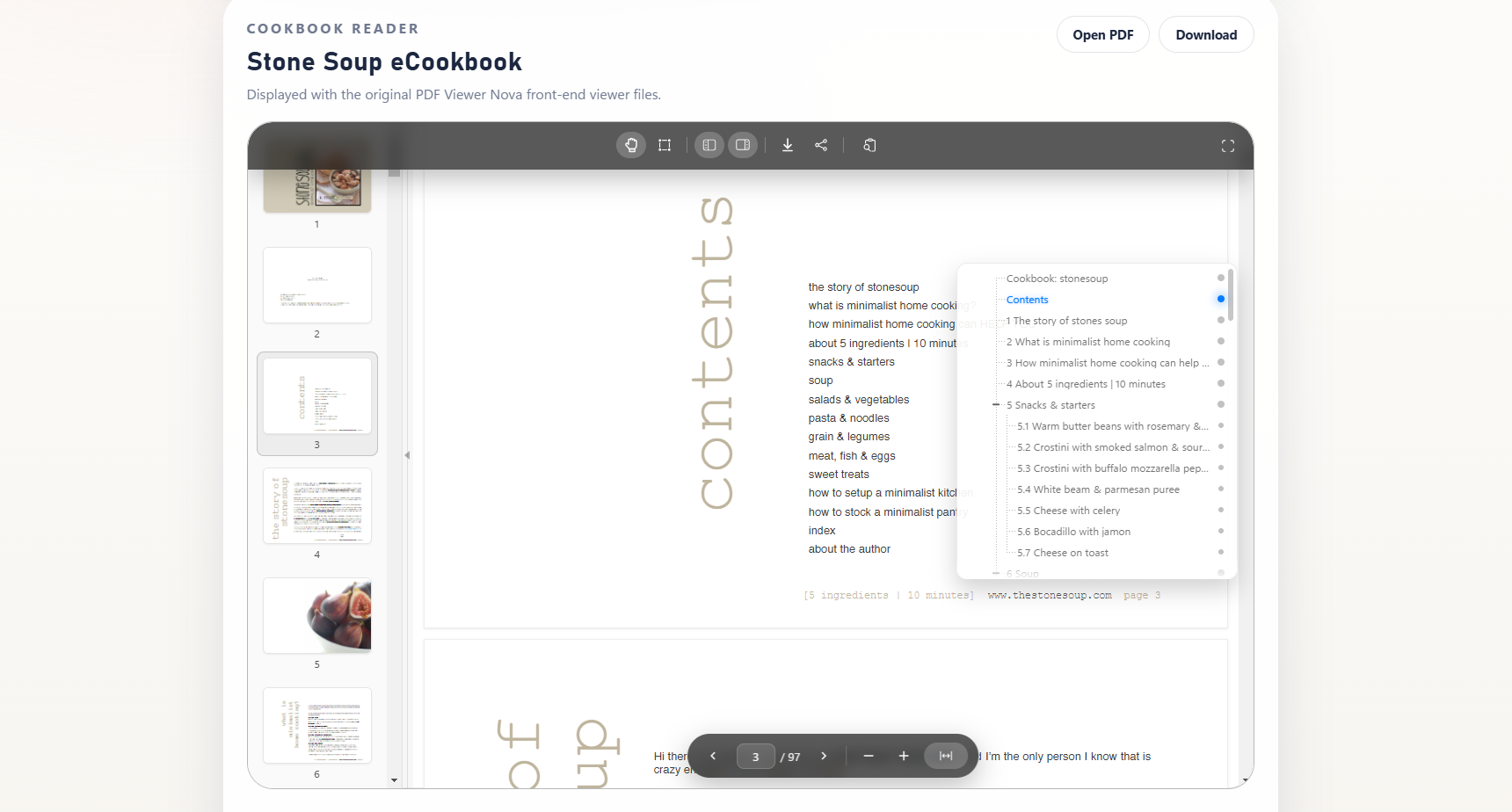
The viewer is powered by PDF.js and includes responsive layout controls, floating toolbars, page navigation, zoom controls, fullscreen modes, thumbnails, bookmarks, search, text selection, and configurable viewer sizing.
PDF Viewer Nova is built for easy document embedding and smooth PDF reading.
PDF Viewer Nova Pro is distributed separately by WP Essentia outside the WordPress.org plugin package for teams that need additional publishing and visitor-experience controls.
Key Features
- Responsive embedded PDF viewer using PDF.js.
- WordPress Block Editor block for Gutenberg pages and posts.
- Elementor widget for page builder workflows.
- Media Library PDF selection or public external PDF URL embedding.
- Thumbnail sidebar for quick page navigation.
- Bookmarks and outline panel for structured PDFs.
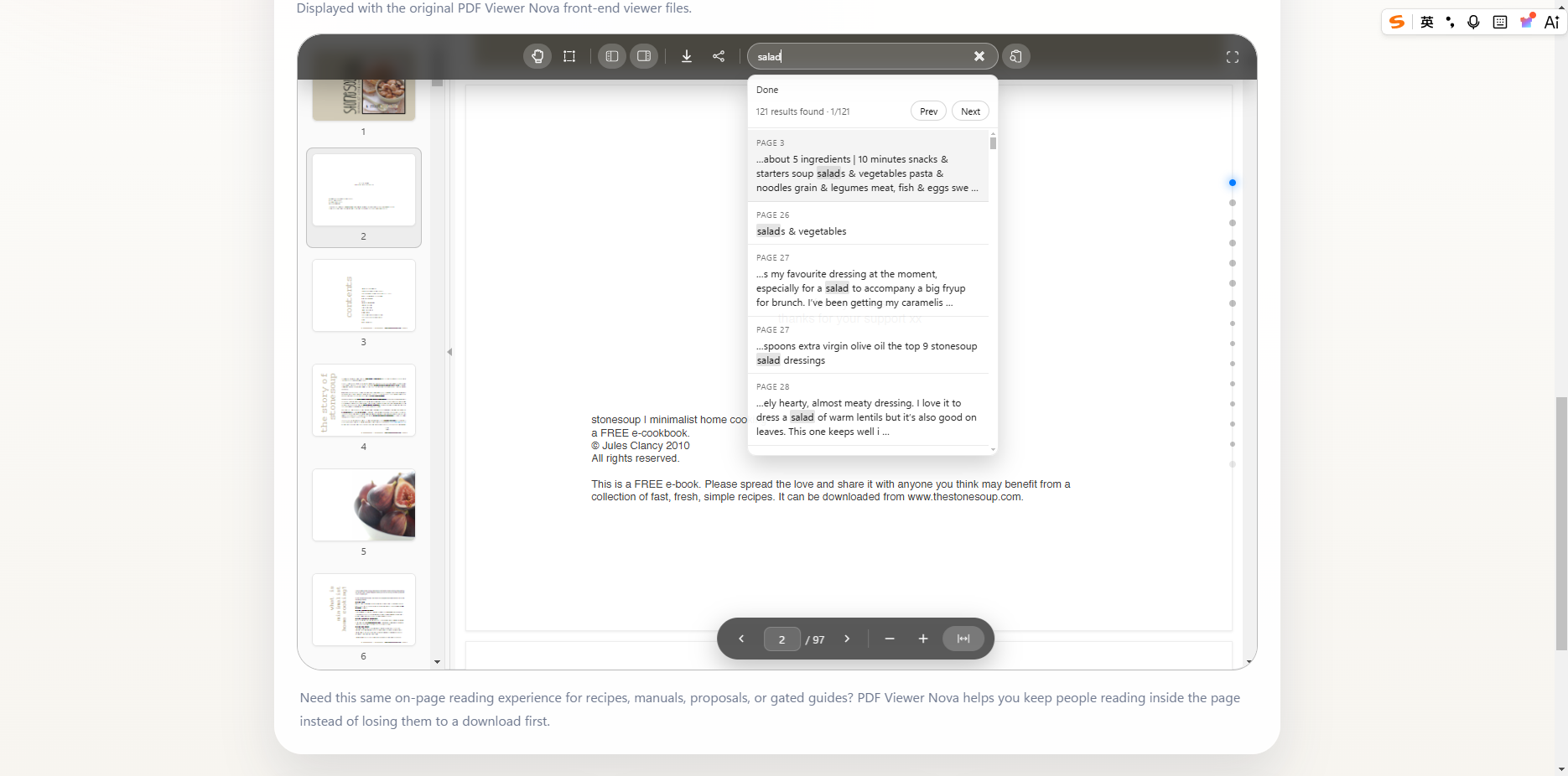
- Full-text search with result navigation.
- Zoom, fit width, page input, previous and next controls.
- Modal and native fullscreen modes.
- Pan and text-selection interaction modes.
- Share button in the top toolbar.
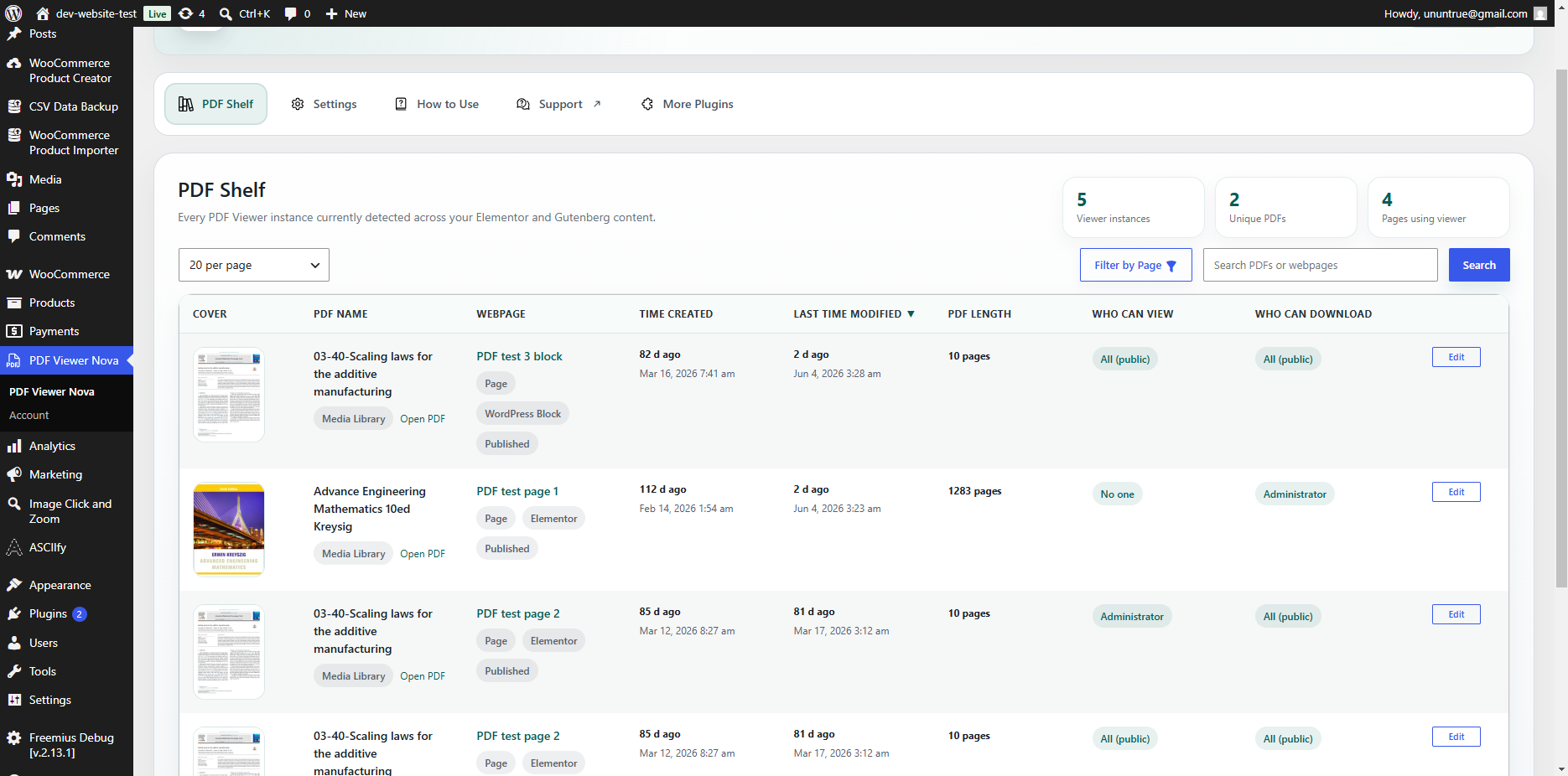
- Admin PDF Shelf to discover where PDF viewers are used across the site.
- Settings to enable or disable the Elementor widget and WordPress block.
Additional Pro Options
PDF Viewer Nova Pro is a separately distributed version with additional options for advanced publishing workflows:
- Choose visitor display behavior by guest status or WordPress role.
- Configure download-button behavior separately from viewer display.
- Show selected preview page ranges for limited-access publishing workflows.
- Add custom visitor messages with an optional link.
- Show a single-image document preview instead of the full viewer.
- Render a PDF page as a server-generated preview image when server support is available.
- Show custom messages or redirect visitors for download-related workflows.
Builder Support
PDF Viewer Nova supports two authoring paths:
- WordPress Block Editor: insert the PDF Viewer Nova block.
- Elementor: drag the PDF Viewer Nova widget into a layout.
Both authoring paths share the same core renderer so frontend behavior stays aligned.
PDF Shelf
The PDF Shelf dashboard helps site administrators easily find and manage PDF Viewer Nova instances across supported Gutenberg and Elementor content. It includes cached aggregation, filtering, sorting, pagination, and direct edit links back to the correct authoring editor.
Third-Party Libraries and External Services
PDF Viewer Nova includes PDF.js build files in the plugin’s assets/pdfjs/build/ directory for local PDF rendering. PDF.js is licensed under the Apache License 2.0, which is GPLv3-compatible.
PDF Viewer Nova includes Motion, an MIT-licensed animation library, for local interface animations such as the bookmark panel.
PDF Viewer Nova includes the Freemius SDK for checkout functionality. On first activation, Freemius displays its own opt-in screen before collecting diagnostic or account data. You can skip that opt-in and continue using all free PDF Viewer Nova features.
Freemius Terms of Service: https://freemius.com/terms/
Freemius Privacy Policy: https://freemius.com/privacy/
The admin How to Use tab includes embedded tutorial videos from YouTube’s privacy-enhanced domain. These embeds are loaded only when an administrator opens the How to Use tab.
YouTube Terms of Service: https://www.youtube.com/t/terms
Google Privacy Policy: https://policies.google.com/privacy
Screenshots
Blocks
This plugin provides 1 block.
- PDF Viewer Nova Display PDFs with PDF Viewer Nova.
Installation
- Upload the plugin folder to
/wp-content/plugins/pdf-viewer-nova/, or install the plugin ZIP through the WordPress Plugins screen. - Activate PDF Viewer Nova from the Plugins screen.
- PDF.js build files are bundled locally in
assets/pdfjs/build/; no third-party PDF.js CDN is required. - To use Elementor, make sure Elementor is installed and activated.
- Open a page or post and insert the PDF Viewer Nova block, or open Elementor and add the PDF Viewer Nova widget.
- Select a PDF, configure the viewer options, then publish or update the page.
FAQ-e
-
Does PDF Viewer Nova work with the WordPress Block Editor?
-
Yes. PDF Viewer Nova includes a Gutenberg block named PDF Viewer Nova.
-
Does PDF Viewer Nova work with Elementor?
-
Yes. PDF Viewer Nova includes an Elementor widget named PDF Viewer Nova. Elementor is optional and only required if you want to use the Elementor widget.
-
Can I use PDFs from the Media Library and external URLs?
-
Yes. You can embed PDFs from the WordPress Media Library or from public external URLs.
-
Is the viewer responsive, and can I customize its appearance?
-
Yes. PDF Viewer Nova is built for responsive page layouts and includes viewer settings for sizing, layout, and interface behavior in both Gutenberg and Elementor.
-
Does the WordPress.org version protect private PDF files?
-
No. The WordPress.org version is designed for normal public PDF embedding from the Media Library or public external URLs. It does not include private-file delivery or access-control workflows.
-
What additional options are available outside the WordPress.org package?
-
The separately distributed PDF Viewer Nova Pro version adds advanced visitor display options, separate download-button behavior, preview display modes, custom visitor messages, image preview modes, server-generated PDF-page preview images, and download-related message or redirect workflows.
-
Yes. The viewer includes full-text search and a bookmark/outline panel. Search works best when the PDF contains real selectable text, and the bookmark panel appears when the PDF file includes outline or bookmark data.
-
Does PDF Viewer Nova connect to Freemius?
-
PDF Viewer Nova includes the Freemius SDK for optional account, licensing, update, and support features. Freemius asks for opt-in before collecting diagnostic or account data. You can skip opt-in and still use all free features.
-
What is PDF Shelf?
-
PDF Shelf is an admin dashboard table that discovers and manages PDF Viewer Nova usage across supported Gutenberg blocks and Elementor widgets.
Reviews
There are no reviews for this plugin.
Contributors & Developers
“PDF Viewer Nova” is open source software. The following people have contributed to this plugin.
Contributors
Translate “PDF Viewer Nova” into your language.
Interested in development?
Browse the code, check out the SVN repository, or subscribe to the development log by RSS.
Changelog
1.0.0
- Initial public version of PDF Viewer Nova.
- Added Gutenberg block and Elementor widget integrations.
- Added responsive PDF.js viewer with floating controls, thumbnails, bookmarks, search, zoom, and fullscreen support.
- Added PDF Shelf admin dashboard for discovering viewer usage across supported authoring paths.
- Added plugin settings for builder toggles and uninstall cleanup behavior.