
Description
Currency Switcher for WooCommerce is a plugin that allows your site customers switch currencies and get their rates converted in the real time.
If you wan to make an online store in multiple currencies – Currency Switcher for WooCommerce is suitable for you.
Currency Switcher is available as with shortcode and widget.
More info is here: https://github.com/PressMaximum/currency-switcher-for-woocommerce/wiki
The Plugin Features:
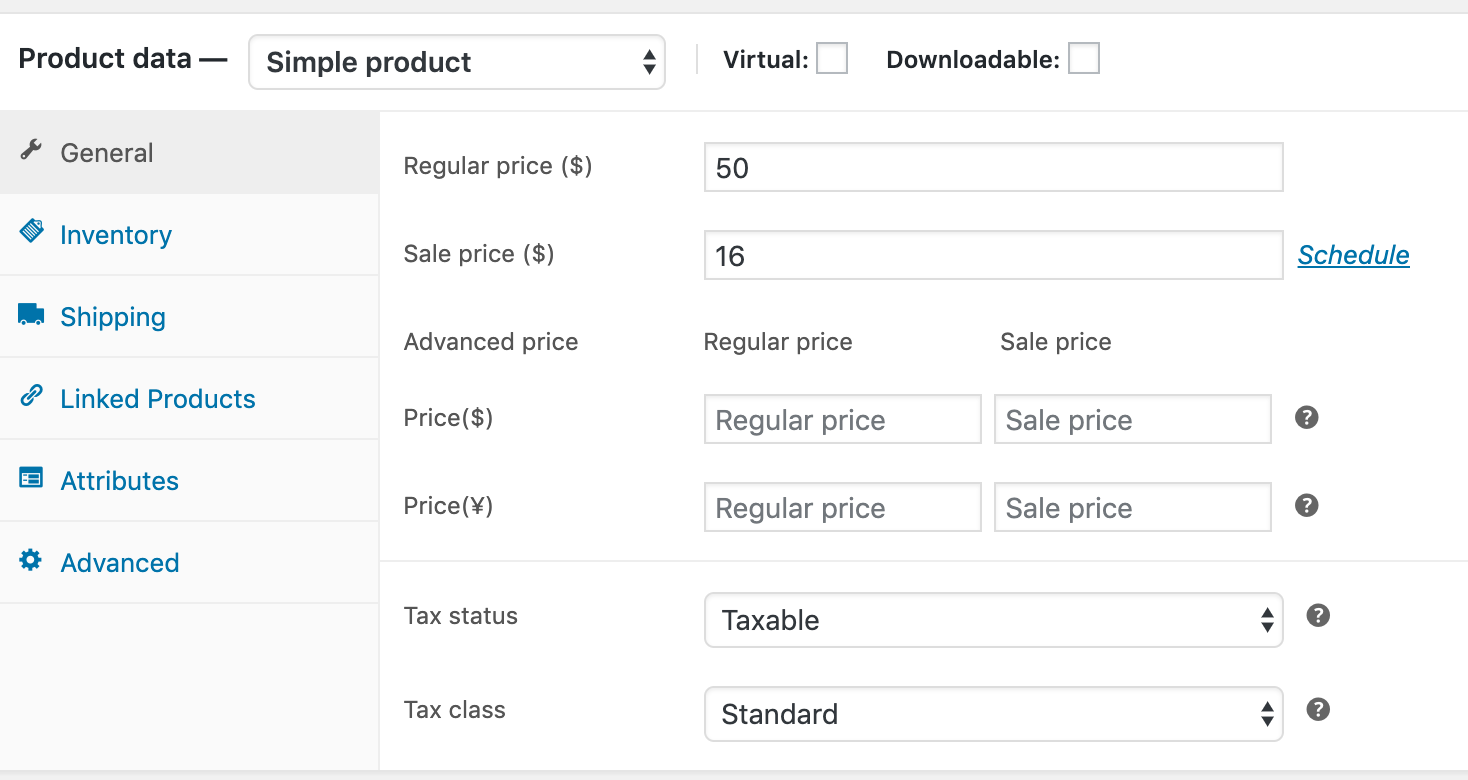
- Advanced product price for each currency.
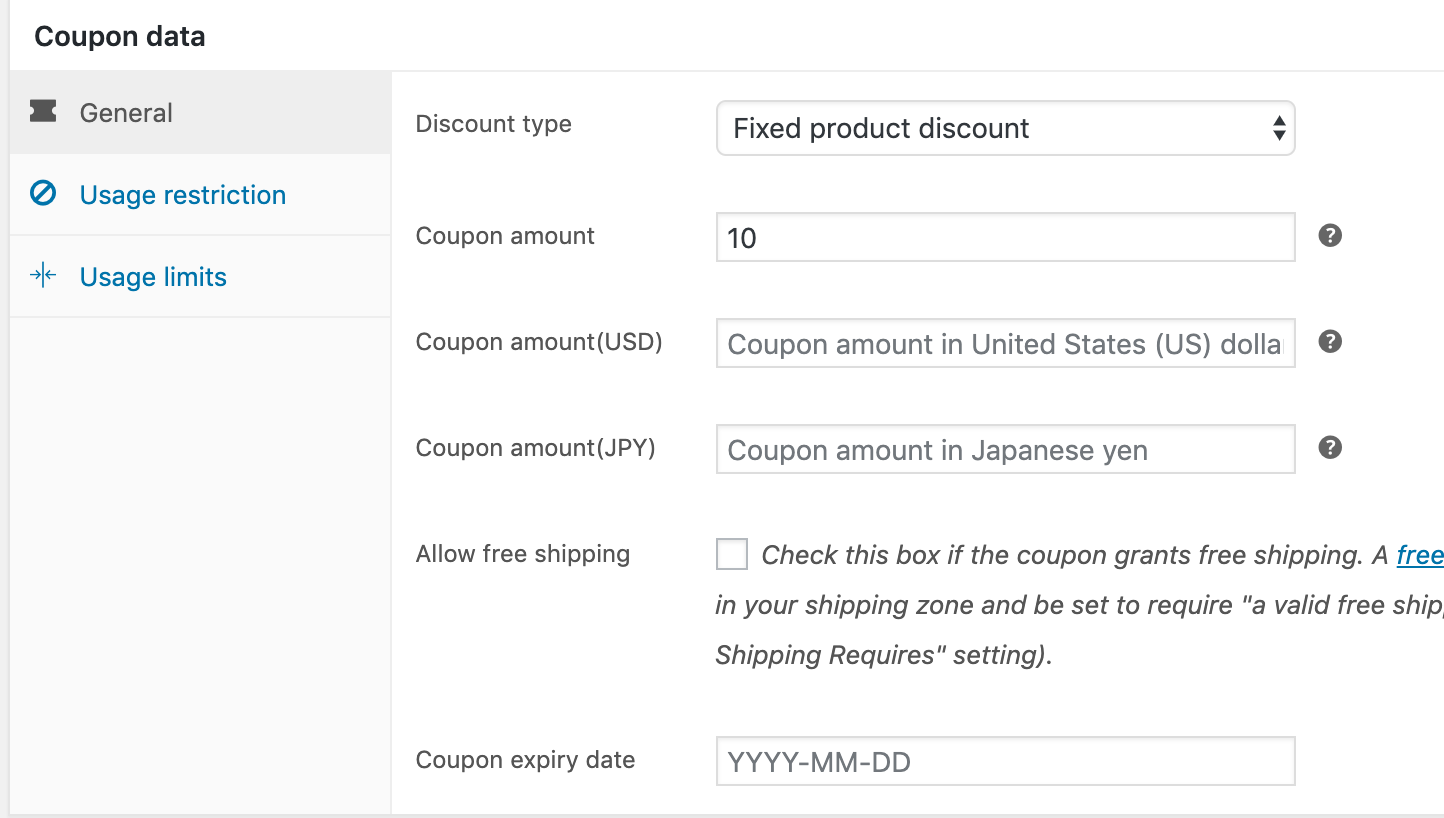
- Advanced coupon value for each currency.
- Add currency swicther to menu.
- Shortcode: Just add to anywhere you want.
- Currency swicther widget: List and dropdown style.
- Currency can be changed automatically according to visitor’s IP using woo WC_Geolocation PHP class.
- The customer is allowed to pay in the selected currency (optionally).
- Hide/Show payment systems on checkout page depending on the current currency.
- Ability to set new order currency which was created through admin panel by hands.
- Automatically convert tax to current currency.
- Automatically convert shipping cost to current currency.
- Custom exchange rate for each currency.
- Exchange rates APi update automatically or manual.
- Custom price format for each currency.
Compatible with
- Compatible with WooCommerce Extra Product Options
- Compatible with Table Rate Shipping for WooCommerce by bolderelements
- Compatible with WooCommerce Stripe Gateway by woothemes
- Compatible with PayPal for WooCommerce by angelleye
- Compatible with WooCommerce PDF Invoices & Packing Slips
- 90% compatibility with different payment gates in ‘multiple allowed’ mode, just try it!
Shortcode
[pmcs]
Available options:
* title: Shortocde title.
* display_type: List or dropdown.
* show_flag: Leave empty to hide flags.
* show_name: Show currency code or native name (code or name).
Video tutorials:
Screenshots




Installation
Manual Installation
- Upload the entire
/currency-switcher-for-woocommercedirectory to the/wp-content/plugins/directory. - Activate Currency Switcher for WooCommerce through the ‘Plugins’ menu in WordPress.
Reviews
There are no reviews for this plugin.
Contributors & Developers
“Currency Switcher for WooCommerce” is open source software. The following people have contributed to this plugin.
Contributors

Translate “Currency Switcher for WooCommerce” into your language.
Interested in development?
Browse the code, check out the SVN repository, or subscribe to the development log by RSS.
Changelog
0.0.2
- Fix bugs
0.0.1
- First release