
Description
MeetingHub is a free appointment booking and scheduling plugin for WordPress. Share a booking page, let clients pick a time from your real availability, and every appointment is confirmed, added to both calendars, and given a working video link automatically.
Most booking plugins charge extra for video conferencing. MeetingHub does not. Five platforms are in the free version: Zoom, Google Meet, Microsoft Teams, Webex and Jitsi Meet. Your first booking can produce a working meeting link before you connect a single account.
Unlimited booking pages, unlimited appointments, unlimited meetings. No per-seat subscription, no commission, and every client record stays in your own WordPress database.
Join the community | Watch on YouTube
🏆 Key Features at a Glance:
✅ Appointment Booking & Online Scheduling
Set your hours once, share a link, and people pick a time you have free. Nothing to connect or configure first.
-
Your own booking page
- Every booking page has its own address,
/booking/your-link/: a month, the times free on the day somebody picks, and three fields.
- Every booking page has its own address,
-
Put the booking form anywhere
- Paste
[meetinghub_booking link="your-link"]into any page or post to place the same appointment form inside your own layout.
- Paste
-
Weekly availability, buffers, notice and slot spacing
- Working hours per day, days off, gaps around each appointment, how far ahead and how late people may book, and how often start times are offered.
-
Confirmed the moment they book
- Every booking is confirmed at once and lands in both calendars.
-
Time zones handled
- Visitors see every appointment time on their own clock and can change it. What you set stays on yours.
-
Reschedule and cancel without emailing you
- Every confirmation carries a private link the customer uses to move or cancel their own appointment. You are told either way.
-
Ask what the appointment is about
- Every booking form carries a notes field. The answer reaches your inbox and sits on the booking.
-
Your appointment history is yours
- Download every booking as a spreadsheet, answers included, with no limit or fee.
-
See whether your emails arrived
- The Emails tab lists every confirmation and reminder, whether it was delivered, and a button to send it again.
-
Appointment reminder emails
- One email before the appointment, at a lead time you choose, from one hour to one week.
-
No double bookings
- The slot is claimed in the database, so two people clicking the same time cannot both get it.
-
Phone, in person or video
- An appointment can be a call, an address, a link of your own, or a meeting on any of the five platforms.
-
Live in a minute
- Your first booking page is made for you, and new pages start from a use case such as Consultation, Discovery call or Tutoring session.
-
Bookable from anywhere on your site
- The Booking page block, or a popup from any button or menu link.
-
Import from Calendly
- Bring your event types over as booking pages, keeping their link names, and your working hours too.
✅ Booking Page Themes
A booking page should look like your business, not like a form.
- Classic, in Light and Dark
- Set once for every booking page on Booking setup Theme, previewed on your own page first.
✅ Dashboard: Your Bookings and Meetings at a Glance
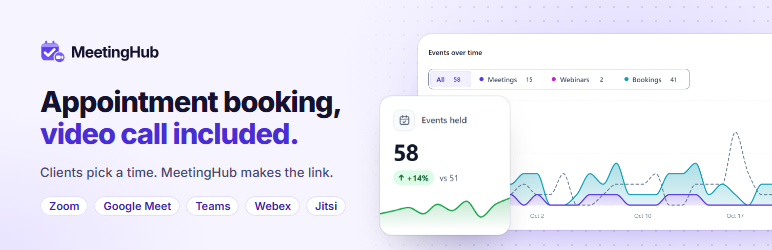
MeetingHub Dashboard puts the whole period on one screen: what happened, what is next, and what needs you.
- Headline numbers: events held, bookings and cancellation rate for any date range, each against the period before, with a trend line. Green is better, amber is worse.
- Events over time: meetings, webinars and appointments stacked in one chart, with the previous period behind it.
- Live and up next: a Join button for whatever is live or starts within 15 minutes, then the next events and their platform.
- To do: emails that did not send, bookings without a meeting link, platforms to reconnect, overlaps and booking pages nobody can book, worst first, each a click from its fix.
- Busiest day, platform health and your booking link, ready to share.
✅ Booking Calendar & Calendar Sync
-
Calendar files on every confirmation
- Confirmation and reschedule emails carry an
.icsattachment.
- Confirmation and reschedule emails carry an
-
All Events in one list
- Meetings, webinars and booked appointments together, with search, a platform filter, bulk actions, and overlapping meetings flagged before your attendees find them.
✅ Built for Appointments That Happen Over Video
Works with Zoom, Google Meet, Jitsi Meet, Webex and Microsoft Teams, all in the free plugin. Each meeting picks its own platform, so one site can run all five.
- Telehealth and virtual health – patients book a consultation and join from the confirmation email.
- Consultants, coaches and therapists – sell your time, then meet the client without a second tool.
- Tutors and course creators – office hours and live classes, attached to the lesson.
- Legal and financial advisers – remote consultations, client records on your own server.
- Agencies and freelancers – a discovery call link for a proposal or an email signature.
✅ Customizable & User-Friendly
- Connect each video platform from a step-by-step panel on MeetingHub Integrations.
- Settings save with Ctrl+S or Cmd+S and warn before you leave unsaved changes.
- Translation ready, in any language.
✅ Built for Developers
- Gutenberg blocks, Elementor widgets and filters such as
mhub_user_can_access_meetingto decide who sees a meeting.
✅ 🔥 More Additional Features
- Meeting categories: group sessions by course, client or department and list only those with
[mhub-zoom-meeting-list category="coaching-101"]. - My Meetings:
[mhub-my-meetings]shows a signed-in member their upcoming sessions and their own bookings, with a join button on each. Useinclude="sessions"orinclude="bookings"to show one kind. - Private meetings: password protection, plus limits by role, by user or by WooCommerce product purchased, right from the event form.
- Privacy tools: appointment data is included in WordPress personal data export and erasure requests.
- Custom thumbnails, banners, countdown timers and embed sizing.
Integrations:
🔥 Zoom Meeting
Create Zoom meetings and webinars from WordPress, attach them to a booking page, and show them on any page, with countdown timers and front-end registrant lists.
🔥 Google Meet
Google Meet sessions are created as real Google Calendar events, with their attendees, reminders and time zone, so an appointment lands in a calendar rather than an inbox.
🔥 Jitsi Meet
Jitsi Meet is open source and needs no account, which is what lets a first booking work with nothing connected. Unlimited duration, branded rooms, and your own domain or 8×8 JaaS when you want them.
🔥 Webex
Schedule, manage and show Webex meetings and webinars, with attendee registration, breakout sessions, meeting lock and livestreaming.
🔥 Microsoft Teams
Schedule and manage Teams meetings from WordPress over a secure Microsoft Graph connection, with recurring meetings, lobby and recording controls. View Setup Guide
📢 Hear From Our Users
⭐⭐⭐⭐⭐
Great Plugin!
Functional and complete plugin, it allows you to integrate all the main video conferencing platforms. Technical assistance is available and responsive to any user problems, solving them very quickly. The Pugin is constantly updated to develop improvements and add new features, listening to the needs of users! Highly recommended.
– by @giomax86
Join Community | 🕹️ YouTube
External services
MeetingHub talks to the services below only after you connect one, create a meeting on it, or a visitor joins or books one. Freemius is used only if you opt in.
Bookings: a booking on a page set to Zoom, Google Meet, Microsoft Teams or Webex sends that service the start time, length, time zone and a meeting title (with the client’s name for one-to-one appointments), and later changes or cancellation. Client email, phone, notes and answers stay in your database.
Zoom (Zoom Video Communications, Inc.) creates, updates and deletes meetings and webinars once you connect Zoom, and reads the list of active users on your account so you can pick a meeting’s host. It receives your Server-to-Server credentials, meeting details (title, agenda, time, time zone, password, duration, options) and, with webinar registration, registrant name and email. “Join in Browser” loads the Zoom Meeting SDK and its React, Redux and lodash builds from source.zoom.us and sends Zoom the name and email the attendee enters. Terms, Privacy.
Google Meet / Google Calendar (Google LLC) creates and updates Meet events once you upload Google credentials. It receives the credentials, and the title, description, times, time zone, attendee emails and reminder and visibility settings of each event. “Add to Google Calendar” opens google.com with the title, time and link only when a visitor clicks it. Terms, Privacy.
Webex (Cisco Systems, Inc.) creates, updates and deletes meetings once you connect Webex. It receives your OAuth credentials, meeting details (title, agenda, password, times, time zone, options) and, with registration, registrant name and email. Terms, Privacy.
Microsoft Teams / Microsoft Graph (Microsoft Corporation) creates and updates Teams meetings once you connect Microsoft. It receives your app credentials (client ID, secret, tenant ID) and each meeting’s subject, times and length. Terms, Privacy.
Jitsi Meet hosts calls on the server you choose in MeetingHub Integrations. The room name and the joining person’s display name go to that server.
- Public server (default): one of these community servers, not run by us, each under its operator’s own terms. Set your own domain or JaaS to avoid them.
jitsi.member.fsf.org, Free Software Foundation: Privacy.meet.evolix.org, Evolix: Terms and data protection, Legal notice and privacy.video.devloprog.org, Devloprog: Terms of use.webconf.viviers-fibre.net, Association Viviers Fibre (website): publishes no separate terms or privacy policy.
- JaaS on
8x8.vc(8×8, Inc.): a moderator who can edit posts joins with a signed token holding their WordPress user ID, name, email and avatar URL. Terms, Privacy. The avatar comes from Gravatar (Automattic Inc.): Terms, Privacy. - Self-hosted: your own server, under its own terms.
Gravatar (Automattic Inc.) shows the host’s photo on booking pages when avatars are on (Settings Discussion). The site checks once per host every 12 hours whether a photo exists for the hashed email; visitors’ browsers load it from Gravatar. Turn avatars off to stop both. Terms, Privacy.
Calendly (Calendly LLC), only when you use Import from Calendly: your access token goes to api.calendly.com to read your event types and schedule, and is never stored. Terms, Privacy.
Freemius (Freemius, Inc.) handles opt-in and account pages. Nothing is sent unless an administrator opts in after activation; “Skip” sends nothing. Opting in sends your name, email, site URL, WordPress, PHP and plugin versions and active plugins and themes. Deactivation feedback is sent only if you submit it. The Contact Us page loads a form from wp.freemius.com, and the Account page links to checkout.freemius.com. Terms, Privacy.
Source Code
Compiled files in assets/dist/ are built from the source in assets/src/ (JavaScript and SCSS), which ships in this plugin. package.json lists the build tools and the commands: npm install, then NODE_ENV=production npm run build and NODE_ENV=production npm run build:getstarted. The webpack, Tailwind and PostCSS configuration files are kept in the development repository and are not part of this package. PHP libraries: composer install --no-dev.
Bundled open-source libraries, all GPL-compatible: Jitsi Meet External API (Apache-2.0); Google API Client, Google Auth, Guzzle, Monolog, firebase/php-jwt and their dependencies in vendor/ (Apache-2.0, MIT, BSD-3-Clause); Freemius SDK (GPL-3.0); React, React Router, moment-timezone, axios, crypto-js, react-select, react-datepicker, react-datetime, react-time-picker, react-toastify, react-tooltip, react-simple-wysiwyg and @wordpress packages compiled into assets/dist/ (MIT, GPL-2.0+). The Zoom Meeting SDK is not bundled; Zoom serves it on browser join.
Screenshots


Blocks
This plugin provides 5 blocks.
- Booking page (MeetingHub)
- Jitsi Meet (MeetingHub)
- Zoom Direct Meeting or Webinar (MeetingHub)
- Webex (MeetingHub)
- Google Meet (MeetingHub)
Installation
From your WordPress dashboard
- Go to Plugins Add New and search for MeetingHub.
- Click Install Now, then Activate.
- Go to MeetingHub Booking setup and click New booking page. Pick a starting point, confirm the name, length and where you meet, and click Create booking page.
- Share the address it gives you, or paste
[meetinghub_booking link="your-link"]into a page of your own.
Manual installation
- Download the plugin ZIP from WordPress.org.
- Go to Plugins Add New Upload Plugin, choose the ZIP, and click Install Now.
- Activate the plugin, then follow steps 3 and 4 above.
Do I need to connect an account first?
No. A booking page works with nothing connected, and Jitsi Meet needs no account at all. Zoom, Google Meet, Microsoft Teams and Webex each connect to an account you already have, from MeetingHub Integrations Video platforms.
FAQ-e
-
Can I move my booking links from Calendly?
-
Yes. On Booking setup, press Import from Calendly and paste a personal access token from Calendly (Integrations, then API and webhooks). Pick the event types to bring over: each becomes a booking page with the same name, length, description and place, and keeps the last part of its Calendly link, so
calendly.com/you/introbecomesyoursite.com/booking/intro/. You can also bring your Calendly working hours. The token is used for the import only and is never stored. -
Is MeetingHub a free appointment booking plugin?
-
Yes. Appointment booking and scheduling are in the free plugin, with no cap on booking pages, appointments or meetings. Free covers your own booking page, weekly working hours, buffers, minimum notice, a booking window, appointment length and slot spacing, instant confirmation, time zone handling, customer reschedule and cancel, one reminder email at a lead time you choose, a calendar file on every confirmation, and all five video platforms.
-
How do I add an appointment booking calendar to WordPress?
-
Install MeetingHub, then go to MeetingHub Booking setup and click New booking page. Pick a starting point such as a 30-minute consultation, confirm the name and where you meet, and create it. Your hours default to Monday to Friday, 9 to 5, until you change them under Availability. You get a public booking page at
/booking/your-link/straight away. To put the same booking calendar inside a page you have designed yourself, paste[meetinghub_booking link="your-link"]into it. The whole process takes about two minutes and needs no account connected to anything. -
How do people book a time with me?
-
They open your booking page and see a month. Picking a day shows the times you actually have free on it, in their own time zone. They choose one, fill in name, email and a note, and confirm. You get an email, they get an email, and the appointment carries a calendar file so it lands in a real calendar. If the booking page is set to a video platform, the meeting link is created and included automatically.
-
Is there a dashboard to see how my bookings are doing?
-
Yes, in the free plugin. MeetingHub Dashboard shows events held, bookings and cancellation rate for any date range, each compared with the period before, a chart of meetings, webinars and appointments over time, what is live and up next, and a to-do list of anything that needs you, such as an email that did not send or a platform to reconnect.
-
How is MeetingHub different from Calendly?
-
MeetingHub runs on your own WordPress site instead of somebody else’s service. Your booking page sits on your domain, under your theme, and every client name, email and appointment is stored in your own database, which you can export or delete yourself at any time. There is no per-seat monthly charge and no commission on what you sell. The trade-off is honest: a hosted service is somebody else’s problem to keep running, and MeetingHub is yours.
-
How is MeetingHub different from FluentBooking or Amelia?
-
Their free versions include no video platform: Zoom, Google Meet and Teams are paid add-ons or paid plans. MeetingHub’s free version includes all five, Zoom, Google Meet, Microsoft Teams, Webex and Jitsi Meet, and every booking gets its own working meeting link. MeetingHub is built for appointments that happen over video; if you run a salon or a hotel, a plugin built for in-person resources will suit you better.
-
Can a booking create a Zoom or Google Meet link automatically?
-
Yes, and that is the point of the plugin. Set a booking page’s location to one of the five platforms, and every appointment booked on it gets a real meeting created on that service, with the join link in both confirmation emails and in the calendar file. Nobody copies a link by hand, and no second plugin is involved.
-
Do I need a Zoom or Google account to take bookings?
-
No. A booking page works with nothing connected. Choose Phone call or In person and there is no video account involved at all. Choose Jitsi Meet and the room is created without an account either. Connecting Zoom, Google Meet, Teams or Webex is a separate decision you can make later.
-
Can MeetingHub stop double bookings?
-
Yes. The slot is claimed in the database with a uniqueness check, not filtered in the browser, so two people clicking the same time in the same second cannot both get it. One of them is told the time has gone and is shown what is still free.
-
Can I set buffers, minimum notice and how far ahead people can book?
-
Yes, all three, and all free. A buffer adds a gap before or after every appointment so you are not booked back to back. Minimum notice stops somebody claiming a slot in twenty minutes’ time. The booking window caps how far into the future the calendar goes, so your diary is not booked out eight months ahead. Each booking page carries its own values.
-
Does MeetingHub send appointment reminder emails?
-
Yes. The free plugin sends one reminder before each appointment, at a lead time you choose: one hour, two, four, twelve, a day, two days or a week. Confirmation and reschedule emails go to both sides automatically, each with a calendar file attached.
-
Can my appointments sync with Google Calendar, Outlook or Apple Calendar?
-
Yes. Every confirmation and reschedule email carries a calendar file, so the appointment lands in Google Calendar, Outlook, Apple Calendar or anything else that reads one.
-
Can someone change or cancel their appointment themselves?
-
Yes. Every confirmation carries a private link that lets them move to another free time or cancel, without emailing you. You are told either way, and the replacement calendar file is sent automatically.
-
Does MeetingHub handle time zones?
-
Yes. You set your working hours in your own time zone once. Every visitor sees the times on their own clock, detected from their browser, and can switch to another time zone if they are booking on somebody else’s behalf. The stored appointment is the same moment for both of you.
-
Can I put the booking form inside one of my own pages?
-
Yes. Paste
[meetinghub_booking link="your-link"]into any page or post. It is the same form as the standalone booking page and it takes the styling of your theme’s column rather than fighting it. -
Who is MeetingHub for?
-
Anyone whose appointments happen over video: telehealth and virtual health practitioners, consultants, coaches and therapists, tutors and course creators running office hours, legal and financial advisers taking remote consultations, agencies booking discovery calls, and marketplace vendors selling their time. It is not built for salons, hotels, holiday rentals or restaurant tables, where a purpose-built in-person booking plugin will serve you better.
-
Which platforms can I connect?
-
Five: Zoom, Google Meet, Microsoft Teams, Webex and Jitsi Meet. All five are in the free plugin, and one site can use as many as it needs, because each meeting and each booking page picks its own platform.
-
Do I need a paid Zoom or Google account?
-
Not to get started. Jitsi Meet needs no account at all. Zoom, Google Meet, Webex and Microsoft Teams each connect to an account you already have, and their own free tiers are enough for most meetings. MeetingHub never charges you for meeting minutes.
-
Where does the meeting actually happen?
-
On the service you picked. MeetingHub creates the meeting through that service’s API and embeds or links it on your site, so the video, audio and recording are all handled by Zoom, Google, Cisco, Microsoft or Jitsi. Your hosting is never in the path of the call.
-
How do I put a meeting on a page?
-
Three ways: the MeetingHub block in the editor, the Elementor widget, or a shortcode.
-
Can I show a list of meetings instead of one?
-
Yes. There is a shortcode for a single meeting and another for the whole list, both free, and meeting categories let a list show one course or one client only. Who sees a meeting is controlled on the meeting itself: limit it to chosen roles or users, put a password on it, or restrict it to people who bought a given WooCommerce product.
-
Can I brand the booking page and the meeting?
-
Yes. Your booking pages use the Classic theme in Light or Dark, chosen on Booking setup Theme and previewed on every new page before you publish it. You can also set the embed width and height and give a meeting its own thumbnail and banner.
-
Will a theme change how my existing booking pages look?
-
No. After the update every page keeps the Classic look it had, in Light or Dark as before, until you choose another theme.
-
Can I record a meeting?
-
Yes, on the service you connected. The recording is made and stored there, as it always was.
-
Where is my client data stored, and can I export or delete it?
-
On your own site, in your own WordPress database. Nothing about an appointment is sent to us. Bookings are included in WordPress’s own personal data tools, so a request under Tools Export Personal Data returns everything held about that email address, and Tools Erase Personal Data anonymises it while leaving your own schedule intact. That is the machinery a GDPR or CCPA request needs, handled by WordPress core rather than by a separate add-on.
-
Which PHP versions does it support?
-
PHP 7.4 up to 8.3. Google Meet needs PHP 8.1 or later, because Google’s own libraries do; on an older PHP it says so in place of connecting, and every other platform, bookings and integrations work as usual.
-
Does it work on WordPress Multisite?
-
Yes, and in the free plugin. Each site in the network keeps its own meetings, bookings and connected accounts, so one subsite is never able to see or edit another’s.
-
Does the admin interface load on the front of my site?
-
Not for your visitors. The admin application is loaded only for signed-in users who are allowed to create meetings, because that is what front-end meeting management needs. Somebody reading a page while logged out never receives it.
-
What happens if I disconnect an account?
-
Meetings already created on that service keep their links, because they live on the service and not in WordPress. MeetingHub simply stops being able to create new ones on it until you reconnect. Nothing is deleted at either end.
-
What is removed when I delete the plugin?
-
Deleting MeetingHub from the Plugins screen removes its own settings, connected credentials and cached data. Your meetings and any appointments booked through the plugin are kept, so deactivating or reinstalling never loses your content or a commitment you made to a customer. To remove booking records as well, delete them before uninstalling.
Reviews


Contributors & Developers
“Booking for Appointments and Events Calendar with Zoom, Google Meet, Microsoft Teams, Webex, Jitsi – MeetingHub” is open source software. The following people have contributed to this plugin.
Contributors
Interested in development?
Browse the code, check out the SVN repository, or subscribe to the development log by RSS.
Changelog
3.8.1 – 6 November 2026
- Enhancement: General improvements and stability fixes.
3.8.0 – 6 November 2026
- Enhancement: A client moving a booking sees their own host’s free times.
3.7.0 – 6 November 2026
- New: Your first booking page is ready the moment you open Booking setup: 30 minutes, video included, Monday to Friday 9 to 5, with its link to copy.
- New: Start a new booking page from a ready-made use case, such as Consultation, Discovery call or Tutoring session.
- New: The Booking page block puts your booking calendar in any post or page, or shows a button that opens it in a popup.
- New: Any link to a booking page can open it in a popup: give the link the class
mhub-book-popup, or end its address with#mhub-popup. The shortcode takesdisplay="button"too. - New: Import from Calendly: bring your event types over as booking pages, with their names, lengths, places and link names, and your Calendly working hours if you like.
- Enhancement: Booking pages announce each step as a
meetinghub:bookingevent, for your own tracking tools. - Enhancement: Every MeetingHub notice and banner can be closed. It stays closed for you until the situation changes.
3.6.0 – 6 November 2026
- Fix: Moving a longer booking to a new time now checks the new time against the booking’s own length.
3.5.0 – 5 November 2026
- New: Booking page themes. Choose the Classic theme in Light or Dark for every booking page on Booking setup Theme, with your own booking page previewed as you choose.
- New: A Theme step when you create a booking page, so you see how it will look before you publish it.
- New: Clients can say why they are cancelling, and you see the reason and who cancelled on the booking. A reschedule leaves a note with the old and new time.
- New: When you cancel a booking, the reason you give reaches the client in their email, and the new
{cancel_reason}tag places it in your own email wording. - Enhancement: A cleaner booking page. On wide screens the details sit beside the calendar, with the host’s profile photo and the meeting platform’s own logo, such as Zoom or Google Meet.
- Enhancement: Picking a time now shows it beside a Next button, so a stray tap never opens the form.
- Enhancement: Times are larger and easier to tap on a phone.
- Enhancement: The chosen day and time stay in the page address, so Back, refresh and a shared link keep the visitor’s place.
- Enhancement: The time zone picker shows the current time in the chosen zone.
- Fix: Screen readers now hear the booking calendar’s days as a labelled group of buttons, instead of a broken grid.
3.4.1 – 2 November 2026
- Enhancement: A clearer changelog and readme.
3.4.0 – 2 November 2026
- Fix: The Host and Alternative hosts pickers no longer offer Zoom users who are pending or deactivated, whom Zoom will not schedule for. The list refreshes once a day when you create a meeting, and a Refresh list link updates it on demand.
- Enhancement: A leaner plugin: the admin scripts and styles are smaller.
- Enhancement: Every empty MeetingHub screen has a new look: a small set of meeting objects, one line and one clear next step.
- Enhancement: Short MeetingHub screens now reach the bottom of the window instead of ending on a strip of bare background.
- Fix: A past meeting embedded with a shortcode now says it has ended, instead of “Meeting is running” with a live Join button.
- Enhancement: Banners and notices that other plugins print in the admin header or the admin bar no longer appear on MeetingHub screens.
- Fix: A new meeting list shortcode no longer shows “No meetings available.” to every visitor, and a page’s visibility setting can no longer be widened from the browser.
- Fix: The Jitsi, Zoom, Webex and Google Meet meeting shortcodes no longer log “Undefined array key” notices for a meeting created by a booking or saved by an older version.
- Fix: The Frontend Meetings card had flat, square corners.
- Fix: Google Meet and Zoom event pages no longer log a PHP warning for events saved without the recurring setting.
3.3.1 – 31 October 2026
- Enhancement:
[mhub-my-meetings]now has a clean default look: one row per session with its status and a Join button, stacked on phones, and easy for any theme or page builder to restyle. - Enhancement: Integrations lists BricksMembers under Memberships & access, and Bricks under Editors & builders.
- Fix: The product and course pickers in “Members only?” no longer open cut off at the edge of the card.
3.3.0 – 29 October 2026
- New:
[mhub-my-meetings]now lists a member’s own bookings beside their sessions, with a Join button once the booking is confirmed. - New: A “Members only?” card in the event form limits an event to customers who bought a WooCommerce product, or to BricksMembers members of a course or page you choose.
- New: All Events marks members-only events.
- New: Booking defaults: new booking pages follow your default hours, slot interval, buffers, minimum notice, booking window and way to meet until you change that setting on the page.
- New: Every booking email has an on/off switch, and the host’s emails (new booking, moved, cancelled, no meeting link) can be edited and previewed like the client’s.
- Enhancement: The Emails tab groups client emails by when they are sent and lists the host’s emails beside them.
- Enhancement: Clients confirm before cancelling a booking from their booking page.
- Enhancement:
[mhub-my-meetings]keeps a session listed until it ends and marks it “Live now”, so the Join button is there when it is needed. - Enhancement: New
includeattribute on[mhub-my-meetings]to show only sessions or only bookings. - Enhancement: Tabs in Booking setup and the video platform settings now have icons.
- Fix: Send again on a booking email resends to the right person only, and is refused when the booking has changed since.
- Fix: A reminder no longer arrives minutes after a “moved” email or a late confirmation, cancelled emails no longer carry a Join button, and booking emails are written in the site’s language.
- Fix: The
[mhub-frontend-meeting]shortcode no longer prints as plain text.
3.1.0 – 26 October 2026
- New: Event pages now follow your access rules. A protected event stays protected even when someone has its link, including the in-browser Zoom join and event shortcodes.
- New: A clear “This event is private” card, with a log in button, replaces the event for people who may not join.
- New: Event pages can show a “Back” link to where the visitor came from, for example a course.
- Enhancement: The event form and event pages have new hooks so other plugins can add their own options and checks.
- Fix: Updating a Zoom webinar now refreshes its details correctly.
- Fix: The Microsoft Teams event shortcode now respects event access rules.
3.0.0 – 25 October 2026
- New: Added a dashboard with event statistics, booking trends, upcoming sessions, pending tasks, busiest days, and video platform activity.
- New: Introduced booking pages with configurable availability, working hours, days off, and customizable appointment durations.
- New: Added the
[meetinghub_booking]shortcode to embed booking forms on any page or post. - New: Added appointment scheduling with Zoom, Google Meet, Microsoft Teams, Webex, and Jitsi Meet.
- New: Added support for video calls, phone calls, in-person meetings, and custom appointment details.
- New: Added an All Events screen to manage meetings, webinars, and appointments from one place, with search, platform filters, and bulk actions.
- New: Added appointment management options for joining, rescheduling, cancellation, completion, and no-show tracking, with private notes.
- New: Added manual appointment creation with automatic availability checks, confirmation, and email notifications.
- New: Added booking confirmation emails, configurable appointment reminders, calendar attachments, and automatic notifications when appointments change or are cancelled.
- New: Added customizable email templates, test emails, and an email log with delivery status and resend options.
- New: Added a notes field to booking forms and spreadsheet export for booking records.
- New: Improved booking reliability with database-level protection against double bookings.
- New: Added support for WordPress personal data export and erasure requests for booking information.
- New: Added meeting categories to organize sessions and filter meeting lists using the
[mhub-zoom-meeting-list]shortcode. - New: Added the
[mhub-my-meetings]shortcode to display upcoming sessions for the currently logged-in user, with an option to show only the next session. - New: Added meeting access controls based on WooCommerce purchases, BricksMembers membership levels, and the
mhub_user_can_access_meetingfilter. - Enhancement: Redesigned the administration interface with dedicated sections for events, booking setup, and integrations.
- Enhancement: Added step-by-step video platform connection guides and supported plugin installation from the integrations screen.
- Enhancement: Improved settings management with preserved changes across tabs, keyboard shortcuts for saving, and warnings for unsaved changes.
- Enhancement: Updated the MeetingHub branding and applied a consistent visual design throughout the administration interface.
- Enhancement: Improved asset loading to reduce unnecessary scripts on unrelated admin screens and frontend pages.
- Enhancement: New booking pages default to video appointments, with Jitsi Meet available without requiring an external account connection.
- Enhancement: Optimized meeting queries to retrieve only the sessions required for the selected list or category.
- Fix: Improved video room creation retries to prevent duplicate meetings and detect responses missing a valid join link.
- Fix: Fixed Google Meet booking creation when no administrator is signed in.
- Fix: Fixed booking page routing on websites using plain permalinks.
- Fix: Improved email delivery status tracking to distinguish failed reminders from successfully sent emails.
- Fix: Fixed a fatal error in the Google Meet shortcode when the referenced meeting no longer exists.
- Security: Improved booking export security by neutralizing spreadsheet formula injection risks.
2.0.3 – 15 Oct, 2026
- Maintenance updates and bug fixes.
2.0.2 – 15 Oct, 2026
- Maintenance updates and bug fixes.
2.0.1 – 09 Sep, 2026
- Fix: Fixed a “Sorry, you are not allowed to access this page” error that could appear on the Get Started screen the first time the plugin was activated.
2.0.0 – 09 Sep, 2026
- New: Completely redesigned the admin interface for a cleaner and easier experience.
- New: Added a simple four-step meeting creation flow.
- New: Redesigned Frontend Meetings with a guided setup wizard and improved page management.
- Enhancement: Improved settings management to prevent settings from being unintentionally overwritten.
- Enhancement: Improved navigation menu setup, accessibility, tooltips, and admin controls.
- Fix: Fixed Frontend Meetings displaying raw shortcodes when disabled.
- Fix: Fixed clipboard, dropdown, PHP 8, shortcode, and meeting page loading issues.
- Fix: Fixed layout issues in the All Meetings list and narrower dashboard containers.
The full history of every earlier release is in changelog.txt, shipped alongside this file.