
Description
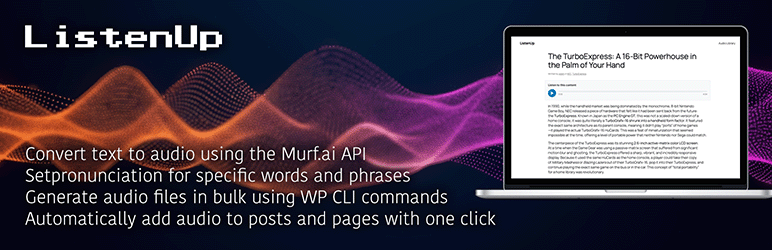
ListenUp is a powerful WordPress plugin that adds text-to-speech functionality to your posts and pages. With just a few clicks, you can generate high-quality audio versions of your content using Murf.ai’s advanced AI voices.
Key Features
- Easy Audio Generation: Generate audio for any post or page with a simple click
- Murf.ai Integration: Uses professional AI voices for natural-sounding audio
- Gen2 API Controls: Tune reusable Murf audio with locale, format, response mode, duration, timing metadata, speed, pitch and pauses
- No FFmpeg Required: Ideal for hosting environments where FFmpeg is not available or restricted
- Smart Caching: Audio files are cached locally to save API credits
- Hands-Off Generation: Queue audio automatically when content is published and backfill recent posts on a schedule
- Intelligent Chunking: Long content is automatically broken into manageable chunks
- Seamless Playback: Multiple audio chunks play continuously without interruption
- Leech Protection: Secure audio delivery prevents unauthorized direct file access and hotlinking
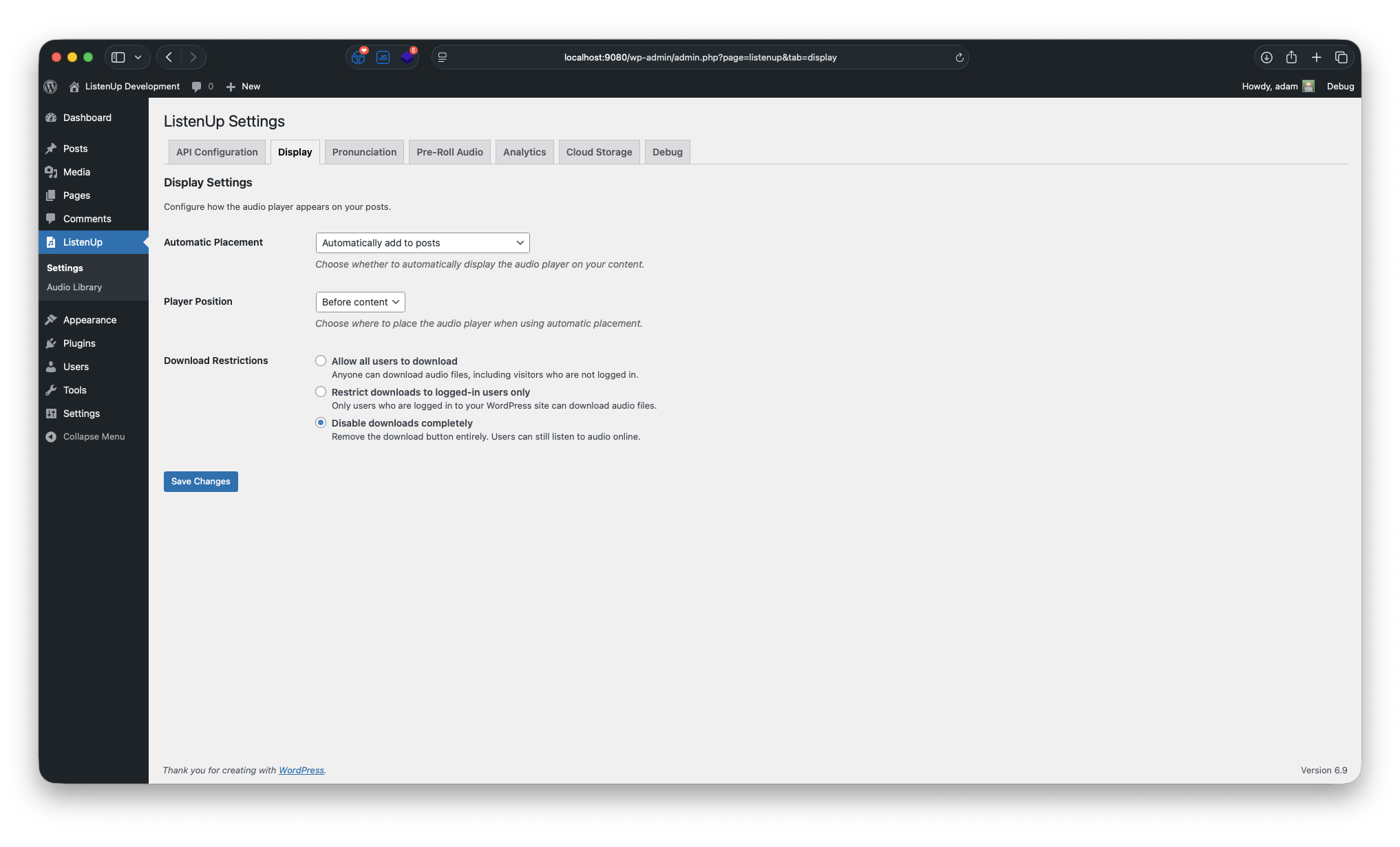
- Download Control: Restrict downloads to logged-in users or disable downloads entirely
- Flexible Placement: Choose where to display the audio player (before/after content)
- Shortcode Support: Use [listenup] shortcode to place players anywhere
- Accessibility First: WCAG-compliant audio player with keyboard navigation
- Mobile Responsive: Works perfectly on all devices
- Admin-Friendly: Simple settings page with clear instructions
How It Works
- Setup: Enter your Murf.ai API key in the plugin settings
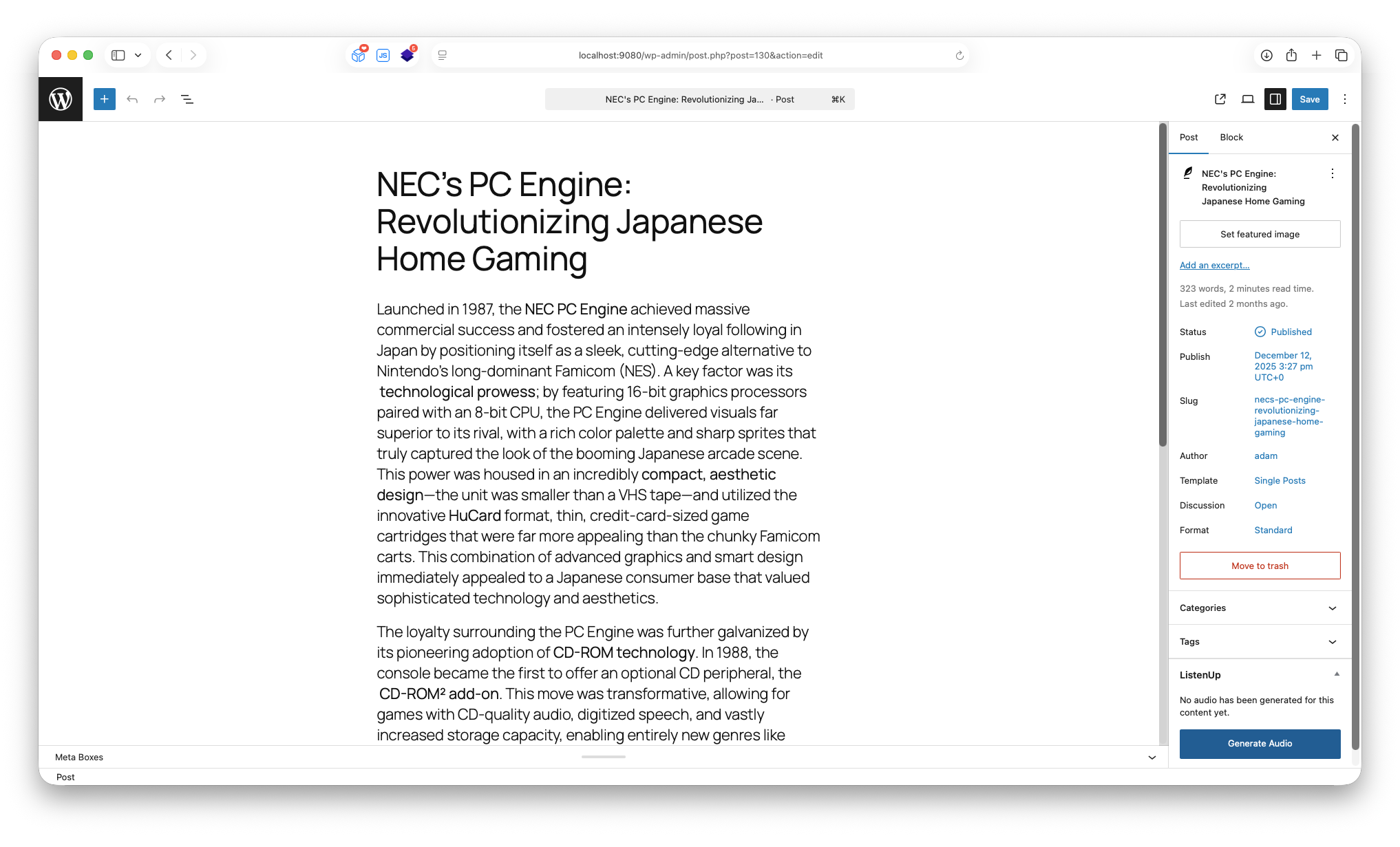
- Generate: Use the meta box on any post/page, or enable background generation on publish
- Display: Audio players appear automatically or via shortcode
- Listen: Visitors can play, pause, and download audio content
Advanced Features
Content Chunking: For posts that exceed Murf.ai’s API limits, content is automatically broken into smaller chunks. Each chunk generates a separate audio file, but the frontend player seamlessly plays all chunks in sequence without interruption.
Audio Concatenation: When downloading audio content that has been chunked, the plugin automatically concatenates supported stream-friendly formats into a single file, so listeners do not have to manage separate chunks.
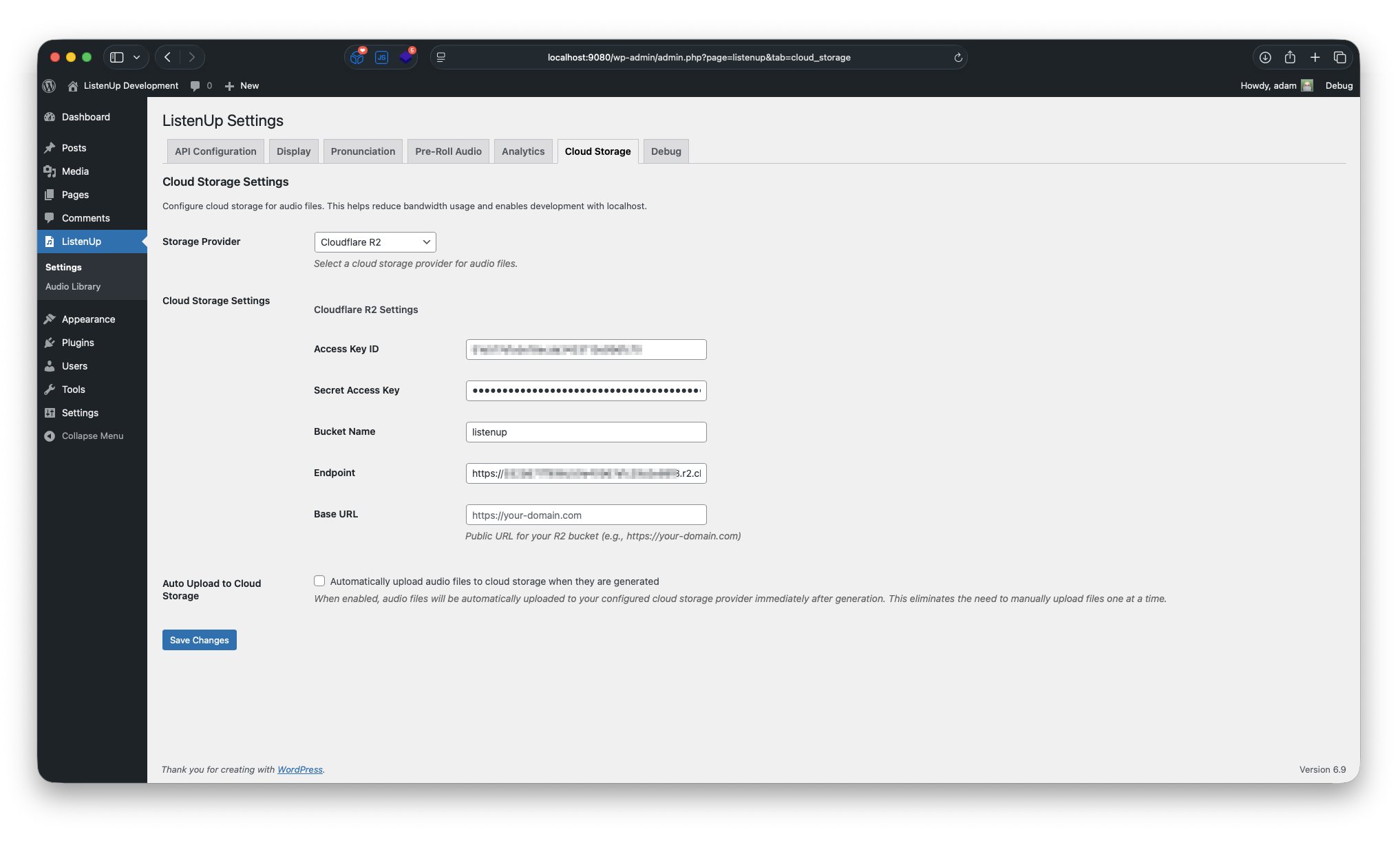
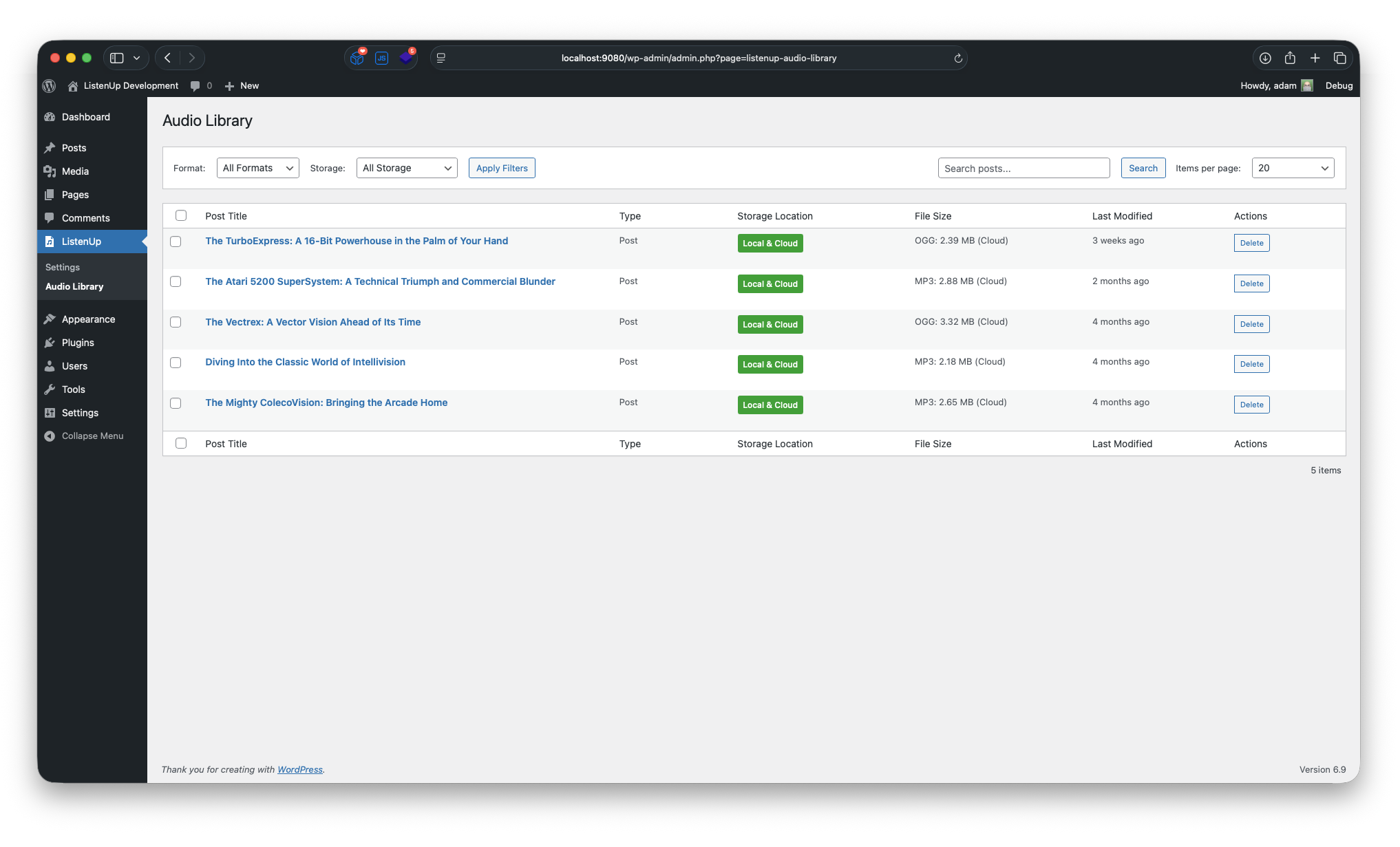
Bulk Cloud Migration: Upload existing local-only audio files to configured cloud storage from the Audio Library without regenerating audio. Large backlogs run in small browser-safe batches, track remaining work by post, and upload the canonical playable audio file instead of internal chunk files.
Murf Gen2 Controls: Choose URL or direct base64 responses, set single-file target durations, request word timing metadata, tune speed/pitch/variation, and use [pause 1s] tags in content or pre-roll scripts. ListenUp still caches generated files locally so audio is reused instead of regenerated on every play.
No FFmpeg Dependency: Unlike many audio plugins, ListenUp doesn’t require FFmpeg, making it perfect for shared hosting environments, managed WordPress hosts, or any situation where FFmpeg is not available or restricted.
Leech Protection: Audio files are served through a secure PHP proxy with cache-safe per-file tokens, preventing unauthorized direct access and hotlinking without embedding expiring nonces in cached article HTML. All audio is delivered via WordPress AJAX endpoints with proper HTTP range request support for smooth seeking. This server-agnostic solution works on Apache, Nginx, IIS, and any PHP-capable server without requiring special server configuration.
Perfect For
- Bloggers who want to offer audio versions of their posts
- Content creators looking to improve accessibility
- Websites targeting mobile users who prefer audio content
- Educational sites with long-form content
- News sites wanting to offer audio news
Accessibility Features
- Full keyboard navigation support
- Screen reader compatible
- High contrast mode support
- Reduced motion support
- Proper ARIA labels and descriptions
External Services
This plugin integrates with external services to provide text-to-speech functionality and optional cloud storage capabilities.
Murf.ai API
This plugin uses Murf.ai’s text-to-speech API to generate high-quality audio content from your post and page text.
- Purpose: Generates high-quality audio from text content using professional AI voices
- Data Sent: Post/page text content, selected voice ID, locale, voice style preferences, speech generation settings, response mode, optional target duration, optional word timing request, pronunciation dictionary rules (if configured)
- When Sent: Only when audio generation is requested manually, queued automatically on publish, processed by the recurring backfill job, or when generating pre-roll audio through the plugin settings
- Terms of Service: https://murf.ai/terms-of-service
- Privacy Policy: https://murf.ai/privacy-policy
Optional Cloud Storage Services
This plugin optionally supports uploading audio files to cloud storage services (Amazon S3, Google Cloud Storage, Cloudflare R2) to reduce bandwidth usage on your web server. This feature is completely optional and disabled by default. No data is sent to these services unless you explicitly configure and enable cloud storage in the plugin settings.
- Amazon S3: https://aws.amazon.com/service-terms/
- Google Cloud Storage: https://cloud.google.com/terms/
- Cloudflare R2: https://www.cloudflare.com/terms/
Support
For support, please visit the plugin’s support forum or contact the developer.
Privacy Policy
This plugin does not collect or store any personal data. Audio files are cached locally on your server. The plugin only communicates with Murf.ai’s API when audio generation is requested manually, through enabled automation, or when generating pre-roll audio from plugin settings.
Screenshots
Installation
- Upload the plugin files to the
/wp-content/plugins/listenupdirectory, or install the plugin through the WordPress plugins screen directly. - Activate the plugin through the ‘Plugins’ screen in WordPress
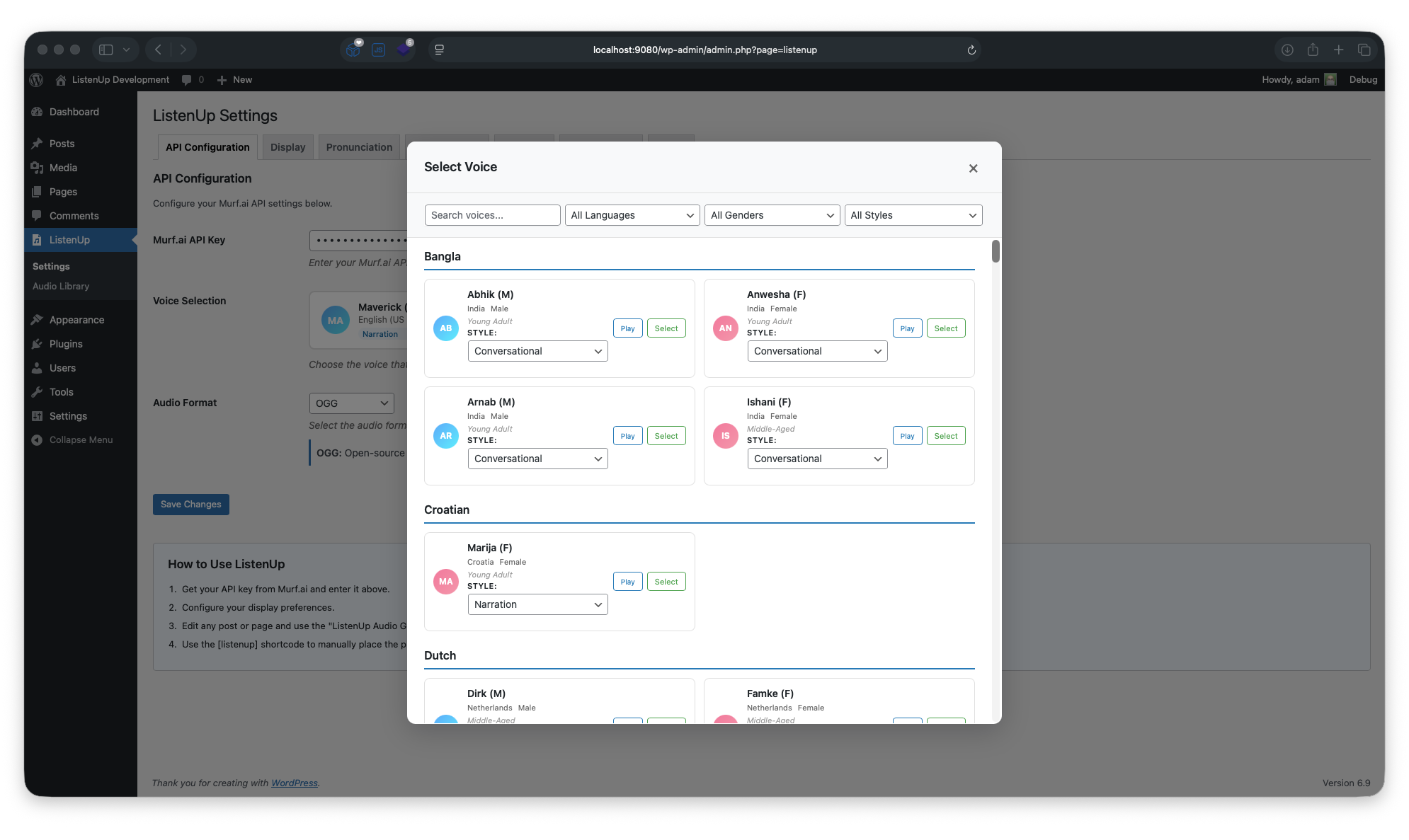
- Go to Settings > ListenUp to configure your Murf.ai API key
- Start generating audio manually, or enable Automation settings for hands-off generation
FAQ-e
-
Do I need a Murf.ai account?
-
Yes, you’ll need a Murf.ai account and API key to use this plugin. You can sign up at Murf.ai and get your API key from your dashboard.
-
How much does Murf.ai cost?
-
Murf.ai offers various pricing plans. Check their website for current pricing information.
-
Can I use this on multiple sites?
-
Yes, but you’ll need separate API keys for each site or ensure your Murf.ai plan supports multiple domains.
-
What audio formats are supported?
-
The plugin supports MP3, WAV, FLAC, ALAW, ULAW, PCM, and OGG output from Murf.ai. MP3 is the default because it works well across browsers and supports chunked audio downloads without requiring FFmpeg.
-
What is the Audio Response Mode setting?
-
Audio Response Mode controls how ListenUp receives the generated file from Murf.ai. URL mode asks Murf for a hosted audio URL, then ListenUp downloads and caches it. Direct base64 mode asks Murf to return the encoded audio in the API response, then ListenUp decodes and caches it locally. Both modes still generate audio through Murf.ai and both are cached locally after generation.
-
Does direct base64 mode cost less?
-
No. Response mode changes delivery, not Murf.ai generation usage. The cost saver is ListenUp’s local cache: once audio is generated and cached, visitors replay the saved file instead of generating new audio each time.
-
Can I force audio to a specific length?
-
You can set an optional target duration for single-file Murf Gen2 audio. Murf.ai treats this as a generation target, not a frame-perfect editor. For very long posts that ListenUp splits into multiple chunks, target duration is skipped so each chunk can be generated safely.
-
Can I add pauses to the spoken audio?
-
Yes. Add pause tags like
[pause 1s]in post content or generated pre-roll scripts. ListenUp normalizes supported pause values between 0.1 seconds and 5 seconds before sending text to Murf.ai. -
What does Word Timing Metadata do?
-
When enabled, ListenUp asks Murf.ai to return word timing metadata and stores it with newly generated audio when Murf returns it. This metadata is mainly for future transcript and word-highlighting features; it does not display a transcript on the frontend yet. Regenerate existing audio if you need timing metadata added to audio that was already cached.
-
Can I customize the audio player appearance?
-
Yes, the plugin includes CSS classes that you can customize in your theme’s stylesheet.
-
What happens with very long posts?
-
For posts that exceed Murf.ai’s API character limits, the plugin automatically breaks the content into smaller chunks. Each chunk is processed separately and saved as an individual audio file. The frontend player seamlessly plays all chunks in sequence, and supported formats can be downloaded as a concatenated file.
-
How does the leech protection work?
-
ListenUp serves audio files through a secure PHP proxy instead of relying on direct file access. Public playback URLs include stable per-file tokens so cached pages keep working behind page caches, CDNs, and hosts like Kinsta. Private or unpublished content still uses WordPress nonce and capability checks where needed. The system supports HTTP range requests for smooth audio seeking and includes proper caching headers for performance. This protection works automatically without requiring any server configuration.
-
Can I block direct access to audio files at the server level?
-
Yes! For additional security, you can configure your web server to block direct access to the audio directory. Here are example configurations:
For Apache (.htaccess):
Add this to/wp-content/uploads/listenup-audio/.htaccess:
<IfModule mod_rewrite.c>

RewriteEngine On

RewriteRule .* - [F,L]

</IfModule>
For Nginx:
Add this to your server block configuration:
location ~* ^/wp-content/uploads/listenup-audio/ {

    return 403;

}
After implementing server-level blocks, audio will still play normally through the WordPress player because the plugin reads files directly from the filesystem, bypassing the web server’s URL routing entirely.
Reviews
There are no reviews for this plugin.
Contributors & Developers
“ListenUp” is open source software. The following people have contributed to this plugin.
Contributors
Translate “ListenUp” into your language.
Interested in development?
Browse the code, check out the SVN repository, or subscribe to the development log by RSS.
Changelog
1.5.136
- Fixed audio playback failures on long-lived page caches by removing expiring nonce requirements from public playback URL refreshes
- Added cache-safe local audio proxy tokens and legacy nonce compatibility for existing cached markup
- Added Audio Library bulk upload controls for moving existing local-only audio files to cloud storage without regenerating
- Fixed bulk cloud upload counting so the Audio Library tracks local-only posts and does not count internal chunk files as separate migration items
- Added Kinsta edge/CDN cache guidance for large sites using cloud storage and signed audio URLs
1.5.135
- Added file-based cache busting for plugin assets to prevent stale JavaScript after CDN/browser caching
- Added Murf Gen2 locale, sample rate, channel, response mode, duration, word timing, pause, speed, pitch and variation controls for reusable audio generation
- Added direct base64 response caching, optional target duration, word timing metadata storage and pause tag normalization for Murf Gen2 generation
1.5.134
- Added player display options for featured or compact layouts
- Added selectable player accent colors
- Refreshed the frontend player with a featured visual treatment and stronger theme isolation
- Removed the experimental Howler.js playback option in favor of the native browser audio player
1.5.132
- Added Automation settings for publish-triggered audio generation and recurring recent-content backfill
- Fixed audio playback failing on post revisions and previews due to meta lookups using the revision ID instead of the parent post
- Centralized revision-to-parent post resolution into Cache::get_meta_post_id() for consistent behavior across all audio endpoints
- Fixed pre-roll audio URL resolution for revisions via cloud storage
- Fixed access check in AJAX audio URL handler incorrectly rejecting anonymous users on revisions of published posts
- Preserved audio post meta when local files are missing instead of deleting it, allowing recovery and regeneration
1.5.131
- Security fixes
1.5.13
- Fixed audio playback errors caused by expired signed URLs when page caching is enabled
- Cloud storage audio URLs are now fetched fresh via AJAX on player initialization
- Improved compatibility with page caching plugins and CDNs (Varnish, Cloudflare, WP Super Cache, etc.)
- Enhanced security: added post existence and publication status validation for audio URL requests
- Improved error handling with generic client messages and detailed server-side logging
1.5.12
- Code optimizations for WordPress plugin directory compliance
- Update documentation with external service usage
1.5.11
- Added pagination to Audio Library admin page
- Update Audio Library filtering
- Improve analytics events to not fire for pre-roll audio
1.5.1
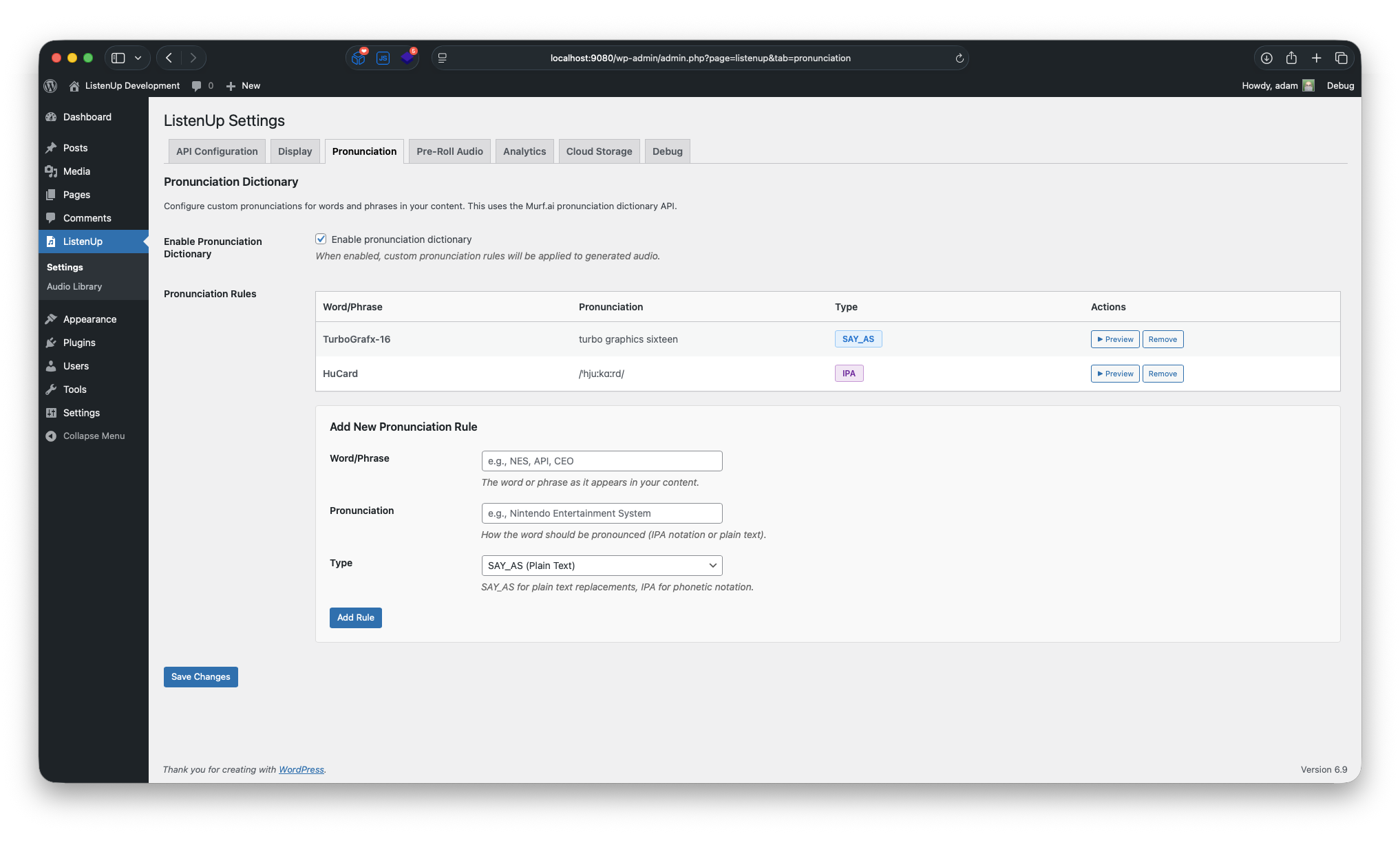
- Added “pronunciation” feature to plugin settings to specify how certain words should be spoken
1.5.0
- Code quality improvements and WordPress coding standards compliance
- Enhanced security and sanitization throughout the plugin
- Improved error handling and user feedback
- Optimized file operations and directory structure
- Better compatibility with WordPress plugin directory requirements
1.4.1
- Implement tracking feature to push events to the datalayer for GTM and GA4 consumption
1.4.0
- Add option to specify conversion output bitrate
- Add option to apply normalization with parameters to conversion process
1.3.22
- Fix autoplay feature in audio library
1.3.21
- Add ability to delete cloud audio as well as local audio files
1.3.2
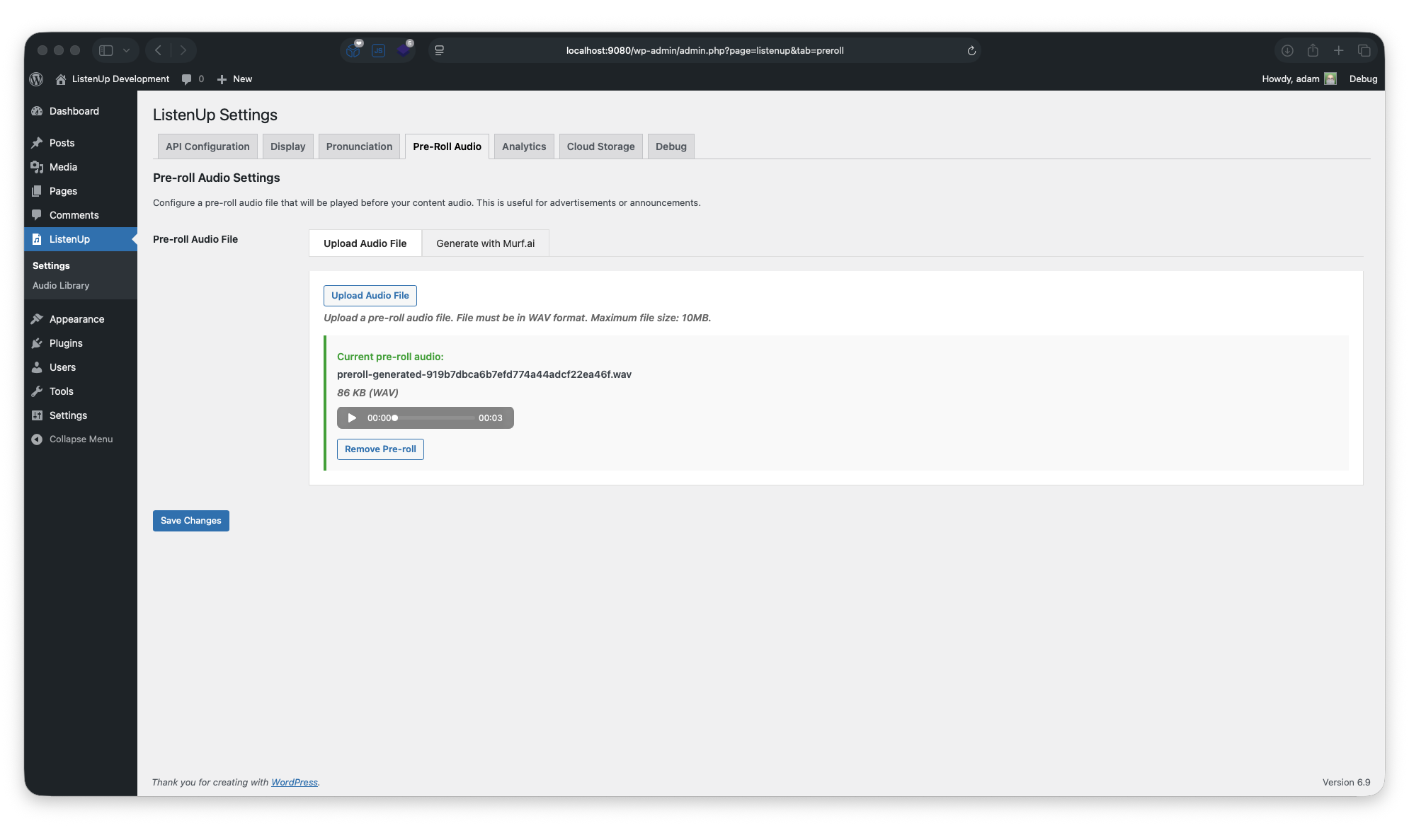
- Improve frontend player user experience when pre-roll audio is present
1.3.11
- Add feature to generate pre-roll audio
1.3.1
- Add “autoplay” feature to audio library shortcode
1.3.0
- Restrict download to logged-in users or block all downloads completely
-
Implemented leech protection (requires server configuration)
-
1.2.01 =
- Minor frontend player presentation improvements
1.2.0
- Added ability to generate audio for posts that do not fit in the Murf.ai API request length
1.1.1
- Improved debug logging
1.1.0
- Users can select a default voice and style
- Voices can now be previewed
1.0.0
- Initial release
- Murf.ai API integration
- Audio caching system
- Meta box for manual generation
- Automatic placement options
- Shortcode support
- Accessibility features
- Mobile responsive design